Creating a Text Adventure Game Engine Using Coding Agents and Markdown
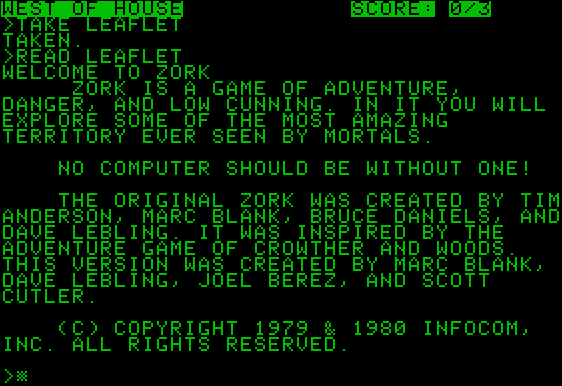
Some of my earliest memories of computers are of playing text adventure games on MS-DOS. For those unfamiliar with the genre, these early games were comprised of a text-only interface, where the gameworld is described to you through prose. The player can then interact with the environment, picking up items along the way, and interacting with the world. Reverse engineering these types of games comprises some of my earliest computer memories, and those experiences launched a lifelong curiousity with coding. Today, this genre still exists on the fringes, where it is now known as interactive fiction, or IF. The text adventure games of old basically evolved into the point-and-click adventures of old, and so you can draw a throughline between, say, 1977 text adventure classic Zork and the epitome of the point-and-click adventure, 1993’s Myst. Ironically, Myst and its sequel Riven relied on visuals (and video) to propel the story forward much more than prose, and the control surface had shifted radically to the mouse over the keyboard.
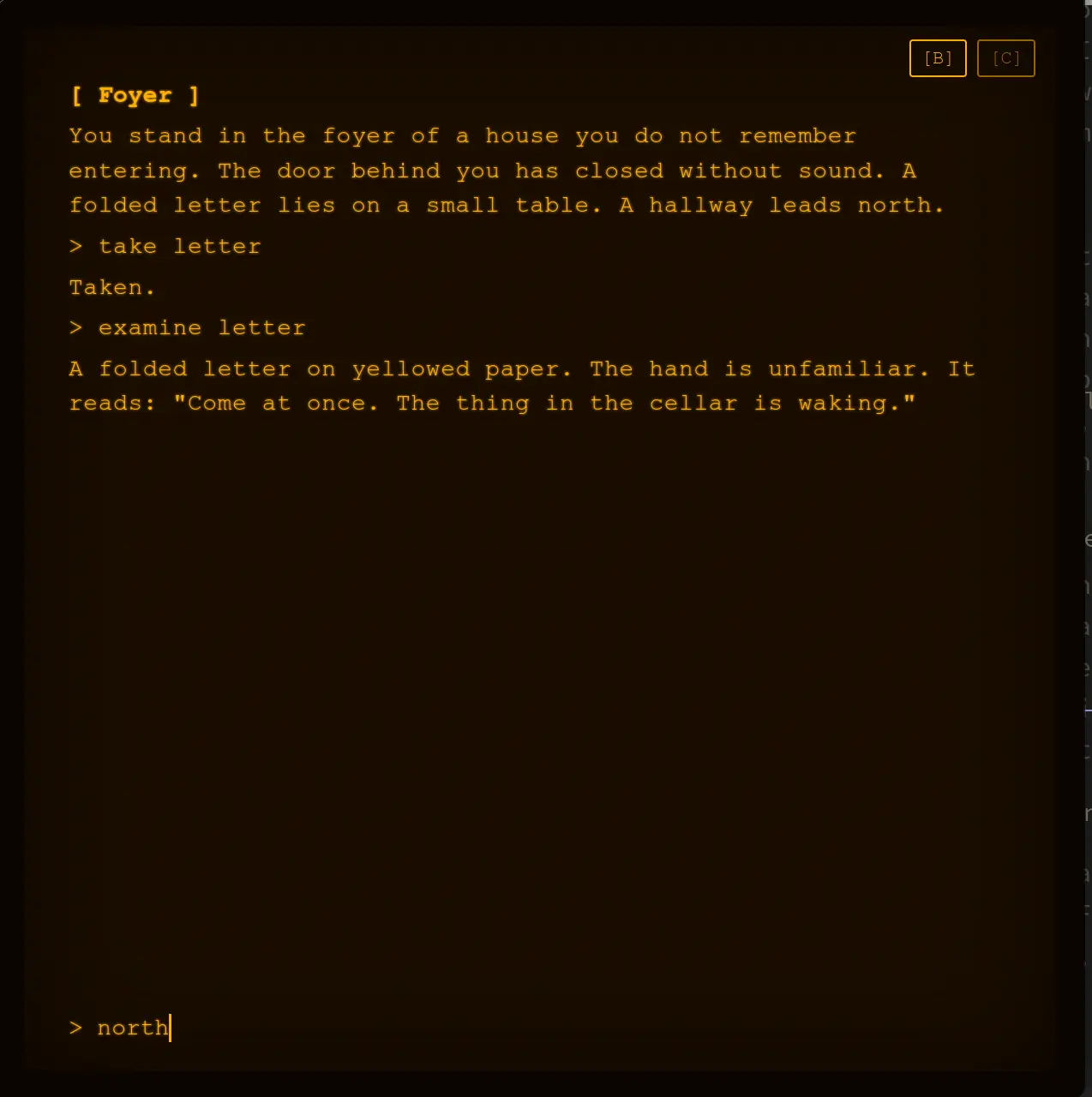
This whole project started as I was developing my personal website/landing page. I more or less had a layout and theme I was happy with. Bento-box tile layout for the UI, grungy ink-stamped aesthetics, a tasteful color palette accentuated by a pink-magenta color my son helped pick out—you get the drift. I decided I wanted to implement an easter egg of some kind, and after considering a few options, I landed on the idea of implementing a small text adventure game accessible via a hidden panel. Well, that small project quickly ballooned into its own thing separate from my website that involved developing not only a 28-room adventure, but also an open source game engine for anyone to create their own worlds, in theory. Or at least the first draft of something like that. So how did I get here, and what have I learned along the way?
Architectural and Design Considerations
I had a few design challenges from the get-go. Whatever I implemented had to be mobile-compatible. Maybe not “mobile-first”, because let’s face it: text adventures are designed for keyboards. However, the mobile interface had to capture the same essence as that “terminal” experience while accounting for touch-screen devices.
Secondly, and most importantly, I wanted to open source the engine behind whatever I created and release it on a GPL 3.0 license. I loved creating these games as a kid, and the thought that someone could theoretically fork my code and create their own text adventure became significant to me in this project.
Finally, I wanted as much as possible to control the game script and design via Markdown documents in structured YAML frontmatter in a single root folder, so I could control the script of the game and visualize everything in Obsidian. The beauty of this is, because of the design philosophy of Obsidian (“file over app”), the fact is you don’t really need Obsidian to do any of this. Regardless of app, it’s super handy to have everything in Markdown documents and centralized in a single folder in your project. You could just as easily use VSCode with some plugins that support wikilinks (would work just as well), or a text editor like VIM (though no support for wikilinks there), or even, god forbid, Notepad to edit your game files. Or you could be like me and just use Obsidian.

Using Coding Agents to Streamline Development
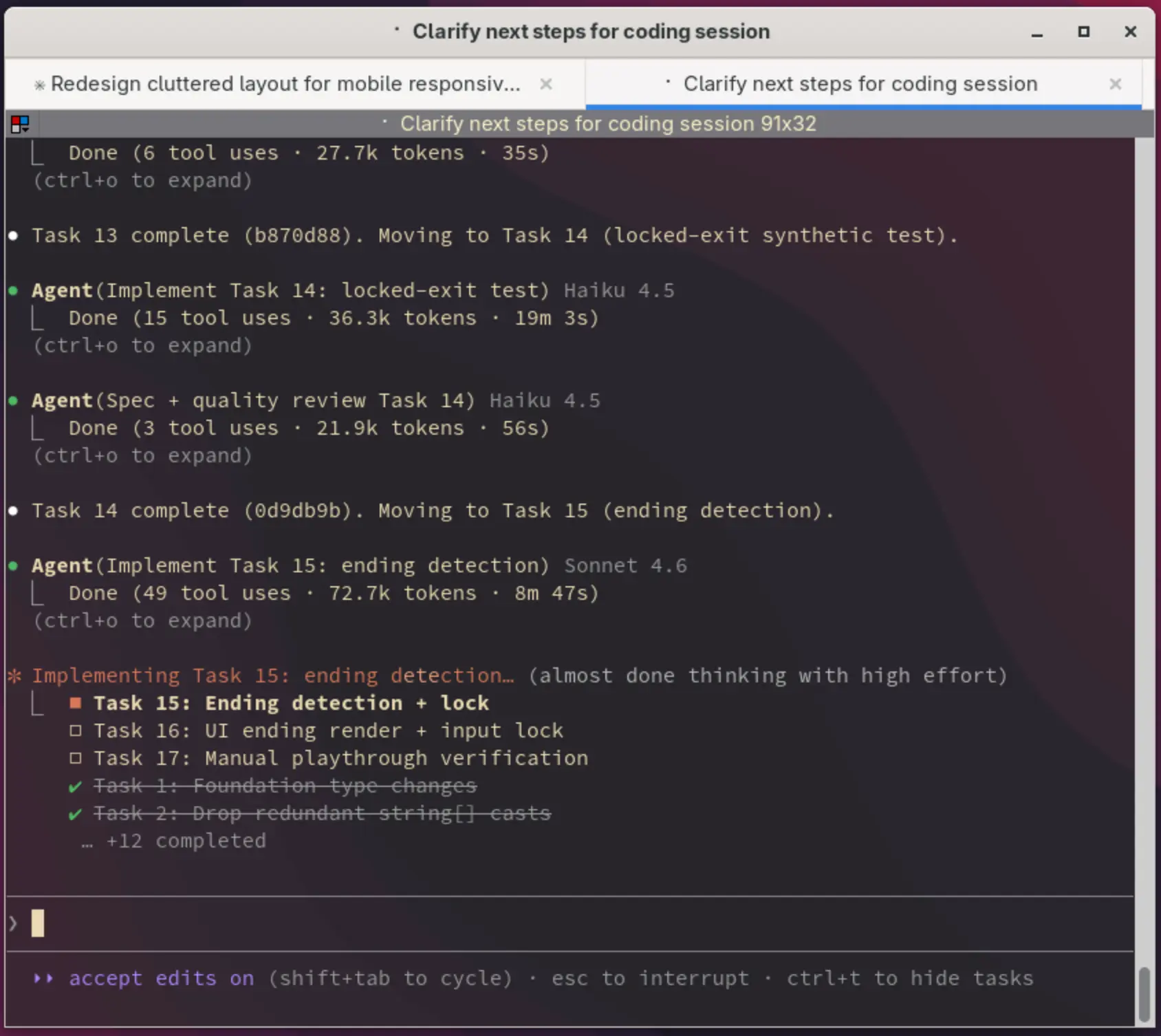
Of course, Markdown is incredibly popular these days because it’s a common input and output for large language models. And indeed, having everything in Markdown makes using agentic coding a breeze. And I’ll be honest, while I probably could have hammered it out myself eventually, I had no intention of doing most of the coding for this project without help. I figured out the architecture and put the requirements together, but ultimately the gruntwork of writing the Typescript to handle the game engine was done by AI coding agents, largely Claude Code with some help from Codex. Because I love Astro, and I’m a bit like a carpenter with a hammer, where every problem looks like a nail, I envisioned this as an Astro-built web app from the get-go. This has the benefit of being pretty low overhead, hopefully making the final product pretty lightweight, and fast to load. Most of the UI of the game is implemented via CSS.
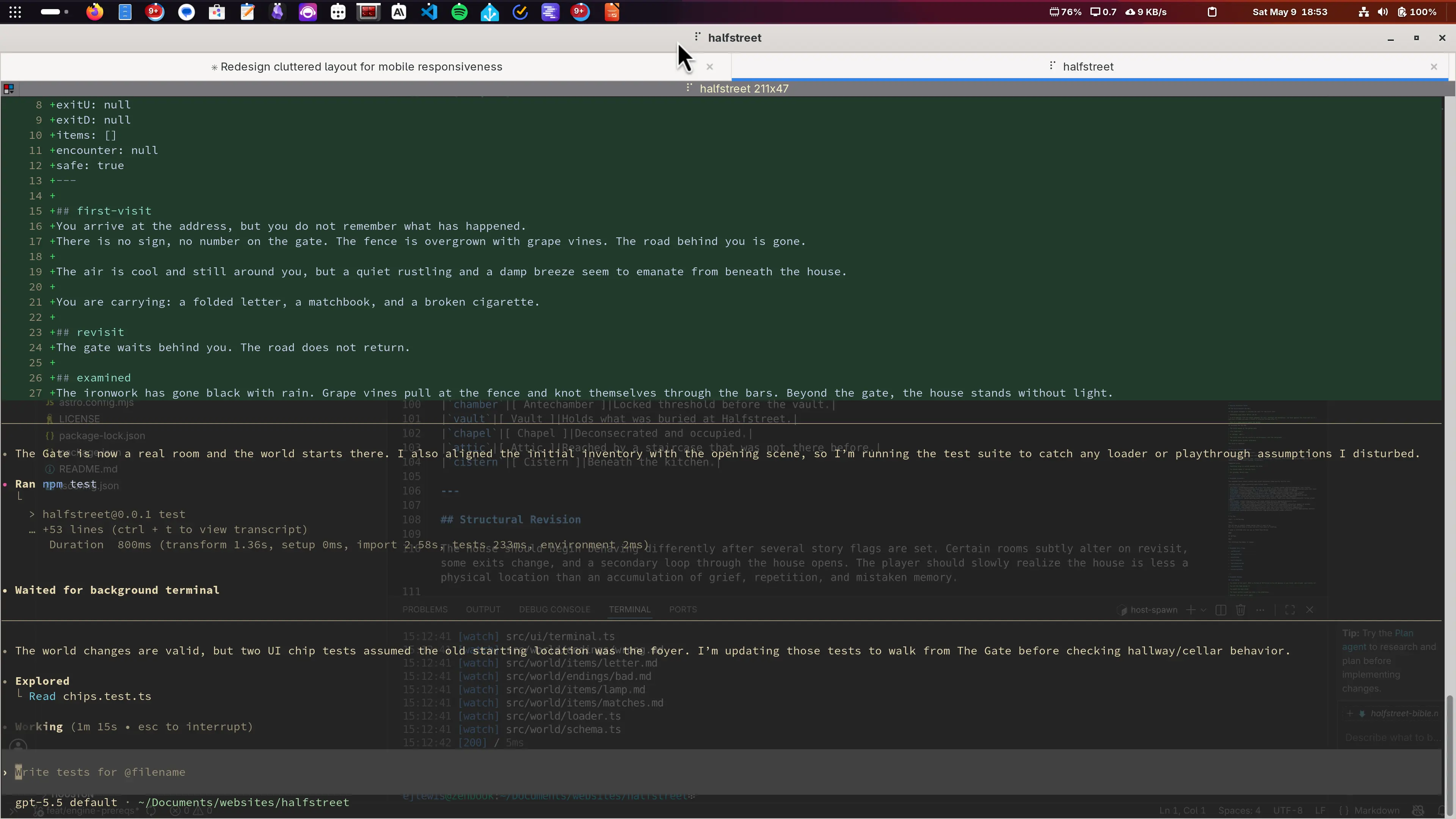
At times on this project, I ran out of usage on Claude Code and had no choice but to switch to OpenAI’s Codex. Having not used Codex much previously, I was particularly impressed. I have to admit, I wasn’t expecting much, based off my interactions with ChatGPT, which I generally have been unimpressed by. I’d much rather use Claude if I’m going to use any LLM.
Codex, however is another animal. It’s a lot more in-line with Claude code in terms of capability. Codex allows the user to select which model and level of reasoning for each prompt. It lacks some of the planning and implementation features that Claude Code has, and can suffer from some pretty wild hallucinations that I don’t really recall seeing with Claude Code as much. Claude Code is like having a drunk junior architect working for you, whereas Codex is like having a somewhat sharp intern that frequently makes dumb mistakes. Codex is far more prone to go off on some tangent or solve some problem in some architecturally head-scratching way that requires redirection. What I did appreciate about Codex is it’s far more efficient. Claude Code seems apt to break out Superpowers at any given opportunity, which are great, but really chew through usage/tokens. Codex, on the other hand, especially when it came to simple debugging tasks, seems to consume usage much less quickly.
The Writing Process
The managing of writing has been an interesting process because there has been so much to write. How I managed it was I wrote out a bible for that described the rooms, items, and themes of the game as I initially envisioned it. I then had Claude Code take a crack at writing in slices based off that bible. Each slice I’d review and revise extensively, then proceed with the next slice. This work was grueling, because I had so many ideas I was envisioning and changes I wanted to implement on the fly, but it wasn’t time for changes; I had to focus on the work at hand.
The scope of this kind of writing is far more than you ever would imagine. The game script is everything in this kind of game, so every gameplay decision has a subsequent writing process involved. There is the detailed writing of expanding rooms, items, and encounters out from their biblical state, and then a broader sort of writing, where you edit across multiple slices to maintain consistency in voice. Somehow it all has to make sense too. The writing continues to be the big bear in this project, and a full rewrite of the prose is probably coming up in my roadmap, but for now I’m focusing on making it overall more stable and ironing out all the bugs.
Future Considerations
Beyond the Markdown/Obsidian angle and architecture choices, there is one more peculiarity to this project that someone forking the code in the future (it’s not in a forkable state yet) needs to take note of: my workflow. My workflow involves building things on my build server, which runs both my private Gitea forge as well as Woodpecker for CI/CD, and then pushing to Cloudflare pages via Wrangler. I included my Woodpecker flow in the GitHub repo, so people can recreate it if they are using GitHub Actions or something similar.
Issue Management
If I were collaborating with others, it would make sense to use GitHub issues to track open issues and my feature roadmap, but for something at this stage, it makes much more sense to use a TODOs document. This is just a simple Markdown document at the root of my Obsidian vault called “TODOs,” where I track bugs and features I want to implement. Since everything in the vault can be read by the agents, if I don’t feel like debugging something myself I can have the agents read straight from the document with a simple prompt and handle the debugging for me with (usually) minimal interaction and no MCP servers.

Obsidian as Part of the Writing Process
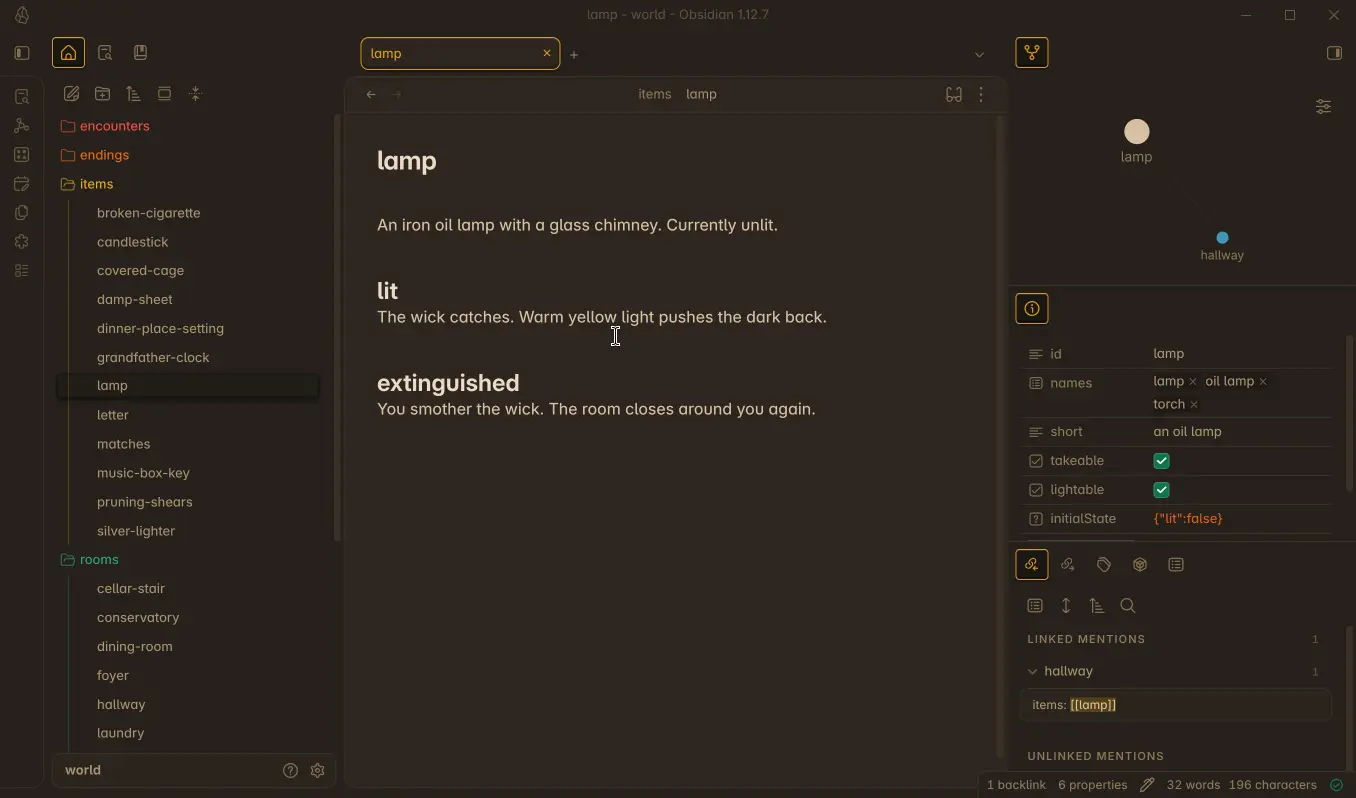
The real beauty of using Obsidian for something like this is in its implementation of wikilinks and its graphs and backlinks functionality. I can, for example, find the Lamp in the linked mentions of the Hallway, so I know its location, despite the Lamp not having location in its metadata. You’ll also note it shows up in the local graph in the upper right.
Obsidian Bases is just about made for use cases like this: viewing and editing easily cataloged structured data in YAML, and inferences about it. Just looking at the example previously mentioned with the lamp and the missing location metadata, I can use a custom formula to derive the location in my Items view, which is handy for a couple of bases I created.
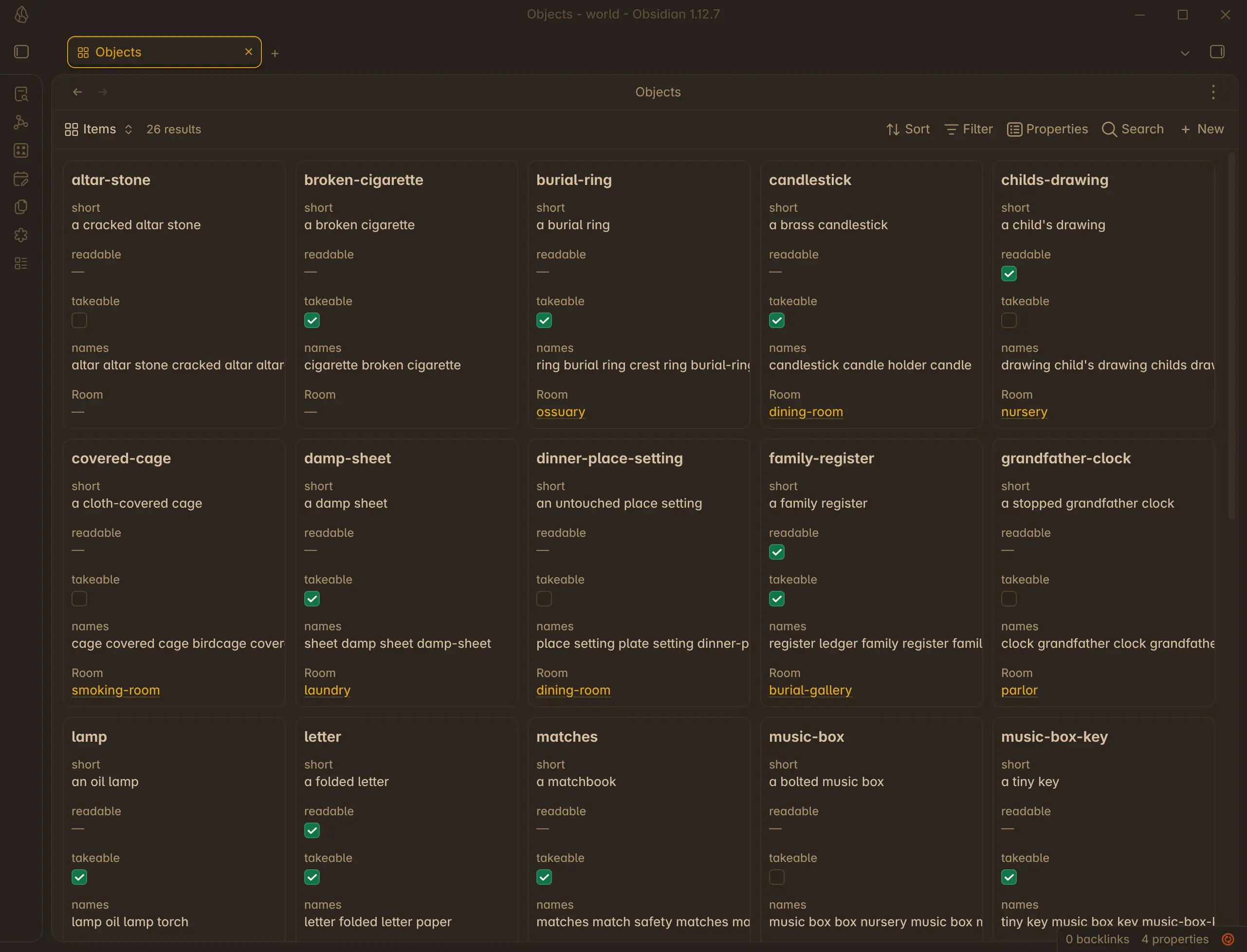

Really, I’ve just scratched the surface of what Bases is capable of with a project like this. Suffice it to say it’s useful for organizing and keeping everything straight.
Why is there no location metadata on items?
You may ask, why deal with inferring location on the items at all? Why not just add location to the YAML frontmatter? Well the answer is the canonical place for item-location to live is in the room metadata. Having location in multiple places means updating location in multiple places and having indefinite sources of truth. There are probably more elegant ways to solve this problem in the long term, but this was my initial thinking at least.
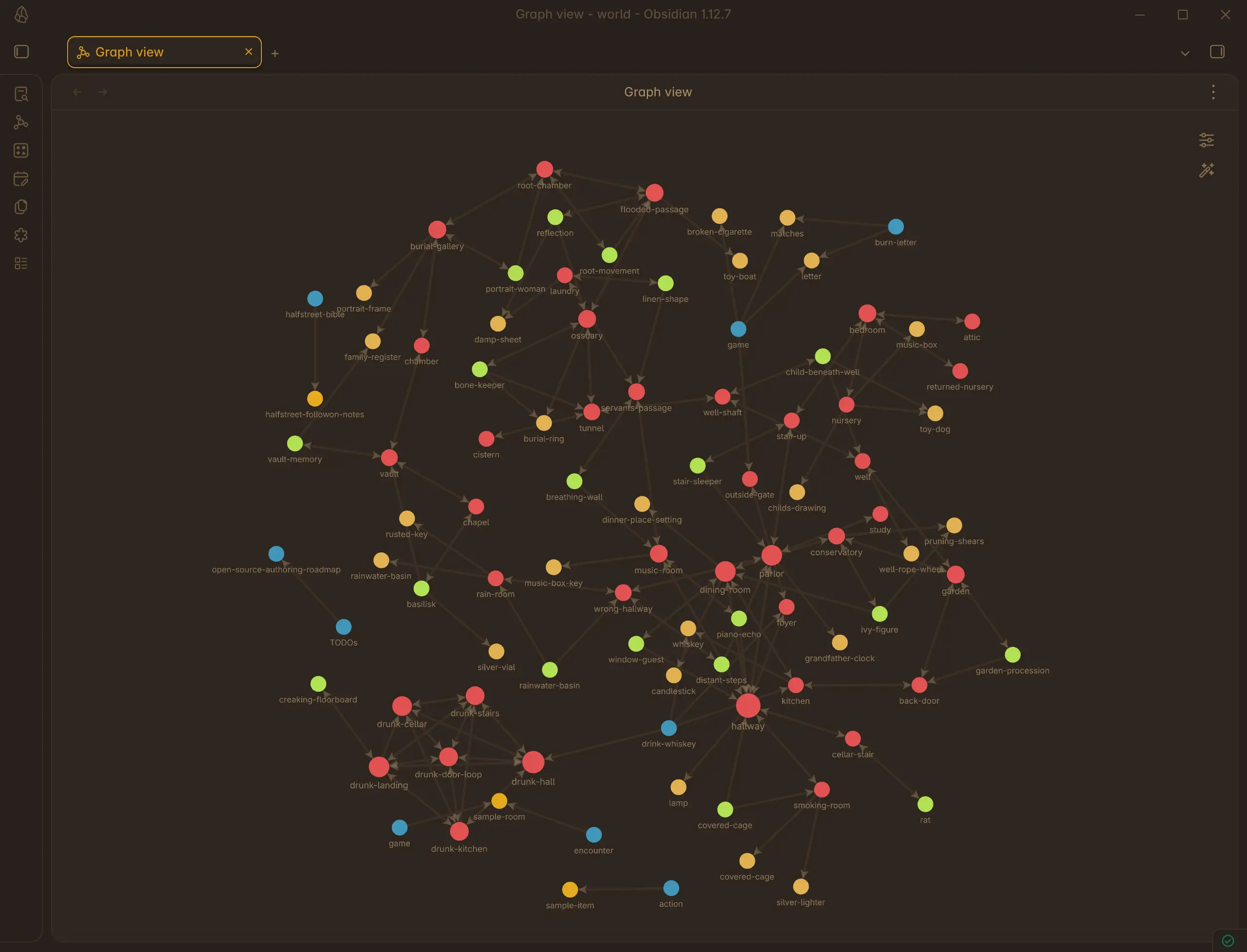
Of course, what everyone wants to show off in Obsidian is the graph view. And usually, there isn’t much to gain from Obsidian Global Graph, but here you can actually mine some useful information. By color-coding the nodes according to folder, I’ve added some depth to the graph view. Links become meaningful as they tie together rooms, encounters, and items.
Designing for Mobile
The biggest shift in design to accommodate mobile, which ended up in the desktop version too, was the implementation of chips for common commands. These chips allow the user to touch and select common terminal commands, which are adaptive according to the situation the player finds themselves in. For example, standing in the music room, there might be a tile to play the piano.
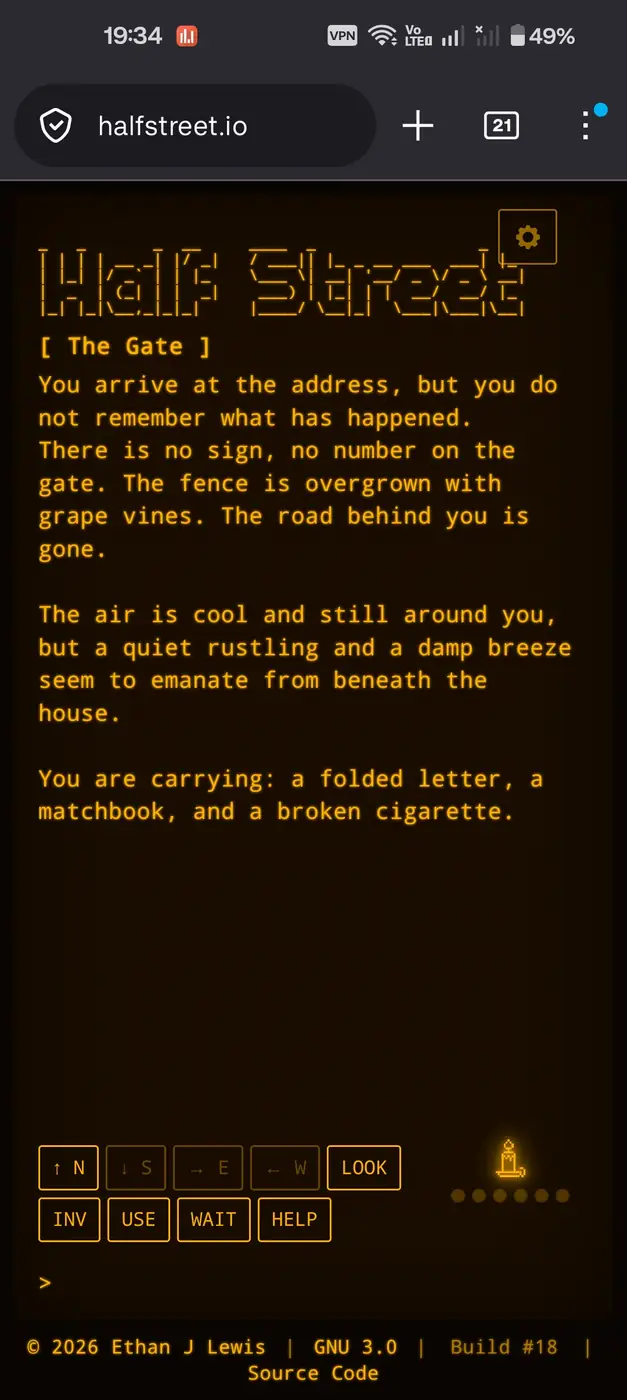
Other limitations were no big deal. I already capped the line length at 80 chars, which easily fits on mobile displays. The user can type in terminal commands via the on-screen keyboard, which obstructs the screen, but it’s usable. It’s probably a more pleasant experience overall on desktop, but it’s definitely playable on mobile.
Where Did This Leave My Personal Website
After all that work, I decided to redo my personal landing page as a text adventure game too, basing it off the engine I designed here. For now, at least. It might devolve into something else eventually, but by being open to play and indulging a whim, I ended up redesigning an entire project. There’s a lesson to be learned there, somewhere.
Play My Half-finished Game
The game is playable, mostly, at https://halfstreet.io. It’s a work in progress as I continue to enhance the gameplay and find ways to make it even more fun and rewarding to play. Source code is public and published both on my private Gitea here and on my Github here. I’m tracking issues in GitHub.
Please report any bugs you encounter using the link in the footer of the site. Everything is still in active development, from the story to the engine itself. I’m far from a v1.0.0 release at this point, so suffice it to say it’s still under heavy development. Any bugs you can report will help me tremendously.
That’s about it for now. I’ll keep you all posted as I continue to make enhancements and develop the story out.